Navigation and Filtering
Questions on Metaculus are sorted by activity by default. Newer questions, questions with new comments, recently upvoted questions, and questions with many new predictions will appear at the top of the Metaculus homepage. However, there are several additional ways to find questions of interest and customize the way you interact with Metaculus.
Categories
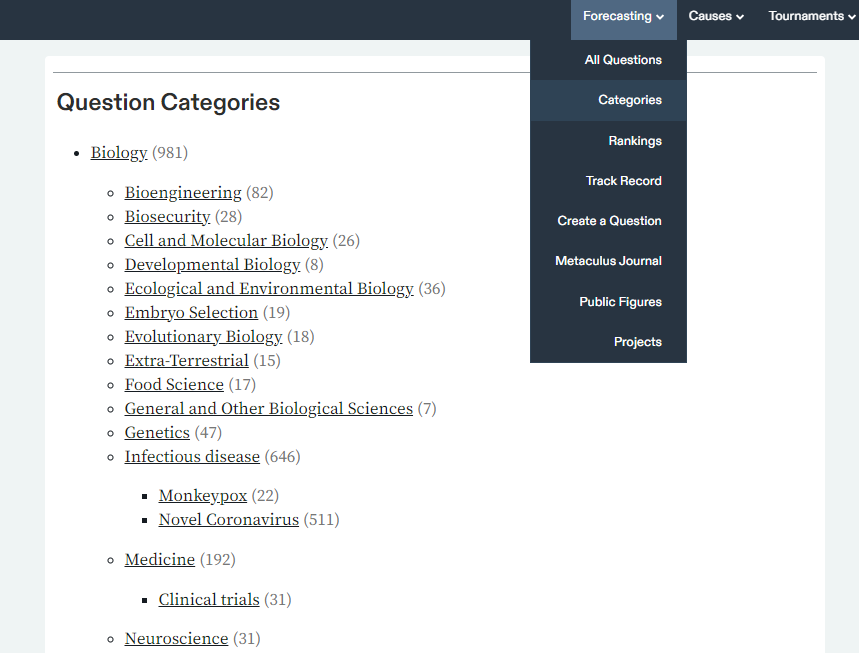
The categories page collects the different categories appearing on Metaculus and also shows the number of questions in each category. All questions on Metaculus are supposed to be assigned to at least one category, and questions in each category can be viewed by clicking the category links. You can navigate to the categories page under the “Forecasting” menu at the top of the page.
Search Bar
The search bar can be used to find questions using keywords and semantic matches. At this time it cannot search comments or users.
Filters
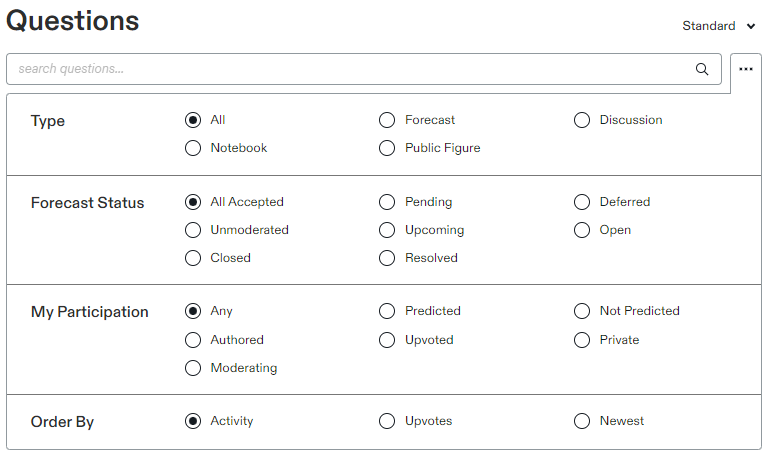
Questions can be sorted and filtered in a different manner from the default using the filters menu. Questions can be filtered by type, status and participation. Questions can also be ordered, for example by “Newest”. Note that the options available change when different filters are selected. For example, if you filter by “Closed” questions you will then be shown an option to order by “Soonest Resolving”.
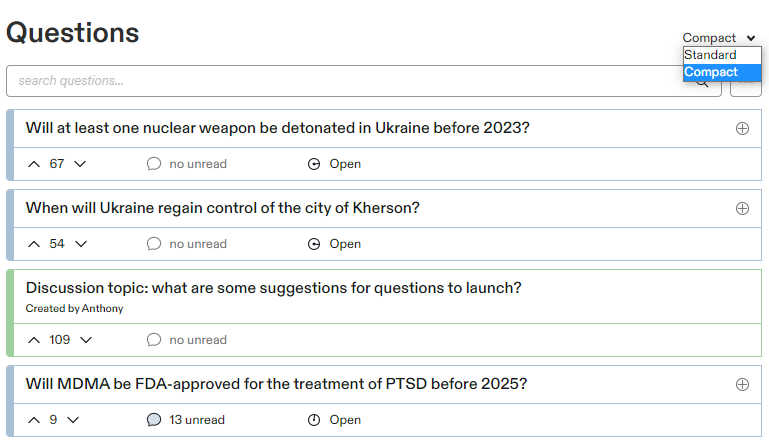
Standard and Compact View
If you do not wish to see the forecast timeline and histogram in the feed you can select the “Compact” view to condense the questions.